RESEARCH WORKSPACE · AI SIDE PROJECT
Ear to Mind: From what people say to how they think.
A research workspace for product designers to practice deeper interviews, write cognitive statements, and build mental model maps. I designed the experience around one principle: the researcher keeps the pen. Coaching helps them look again, while the interpretation stays their own.
- Challenge
- Moving from what someone said to what they are trying to do, without losing the evidence along the way.
- Approach
- Keep quotes, interpretations, review, and mapping connected in one workspace.
- Experience
- Six short tutorials introduce the workflow through one fictional research example.
The problem
Designers learning mental models rarely struggle with the diagram. They struggle before it: interviews stop at what people did, and quotes turn into features instead of thinking.
Most AI research tools summarize transcripts for you. Ear to Mind coaches you to do it yourself, using Indi Young’s mental model method.
What they did
“I made the same pasta I always make.”
How they think
“I just didn’t want to make another decision.”
How it works
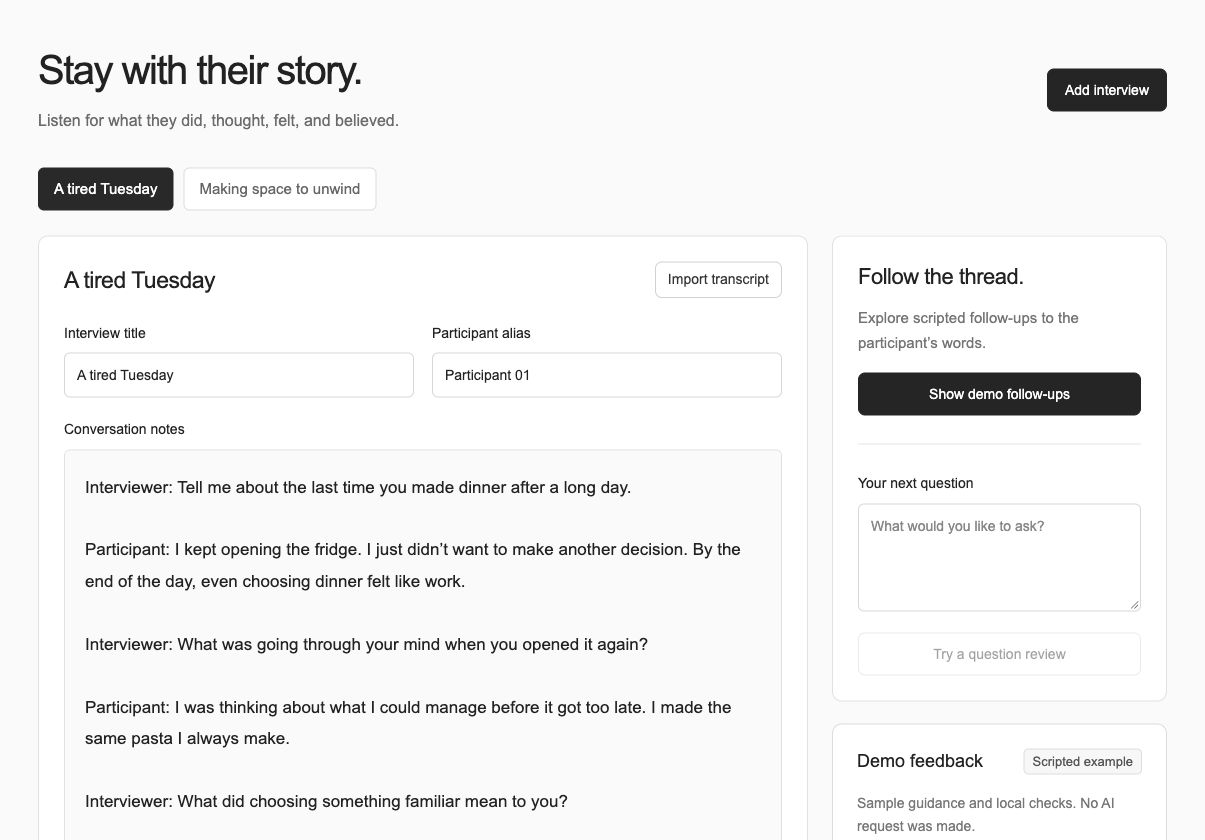
01 Interview.
Save the quotes that matter and get neutral follow-up prompts that go one layer deeper.
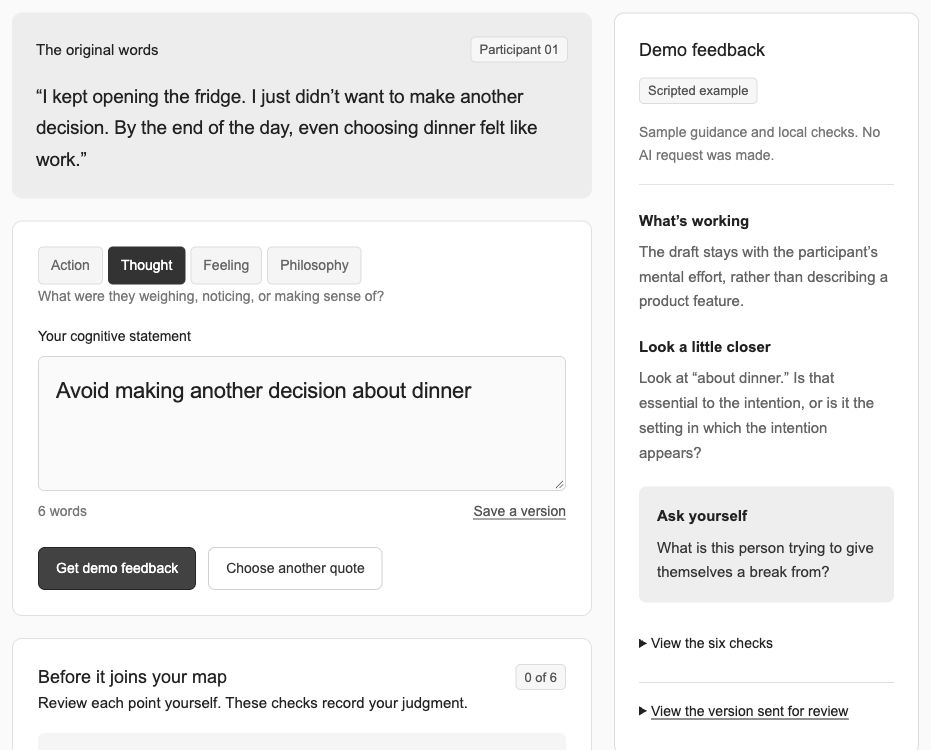
02 Statements.
Write the cognitive statement yourself. Get feedback on six checks, never a finished answer.
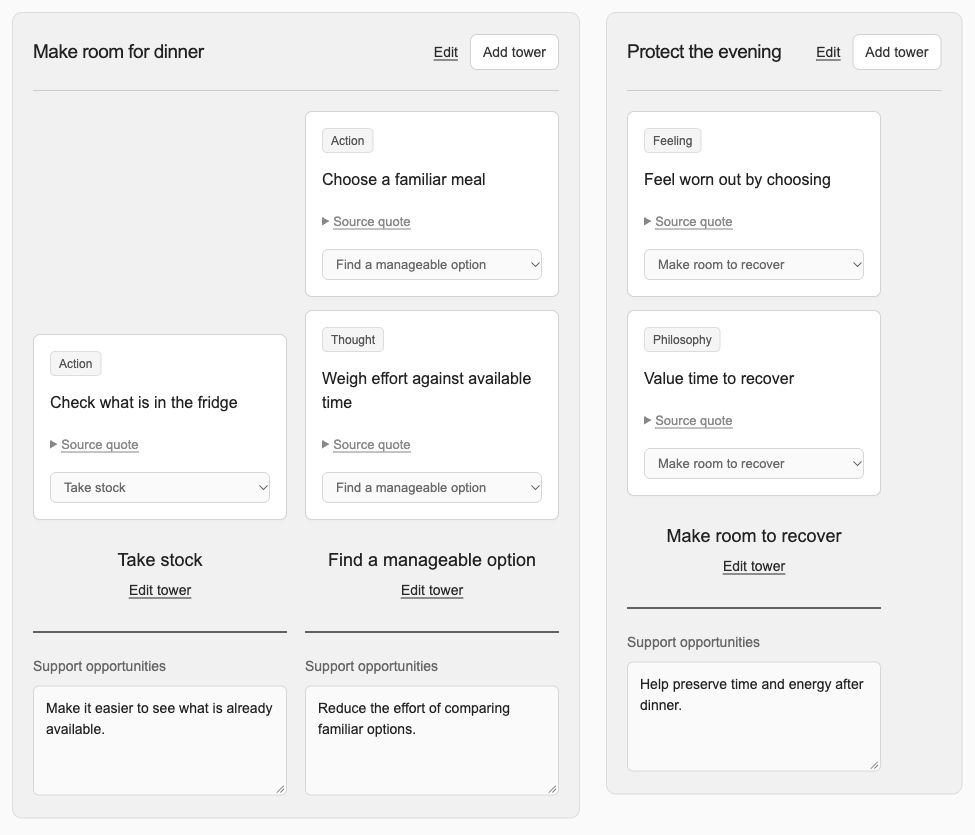
03 Map.
Group statements into towers and mental spaces, then find where your product can help.
The design
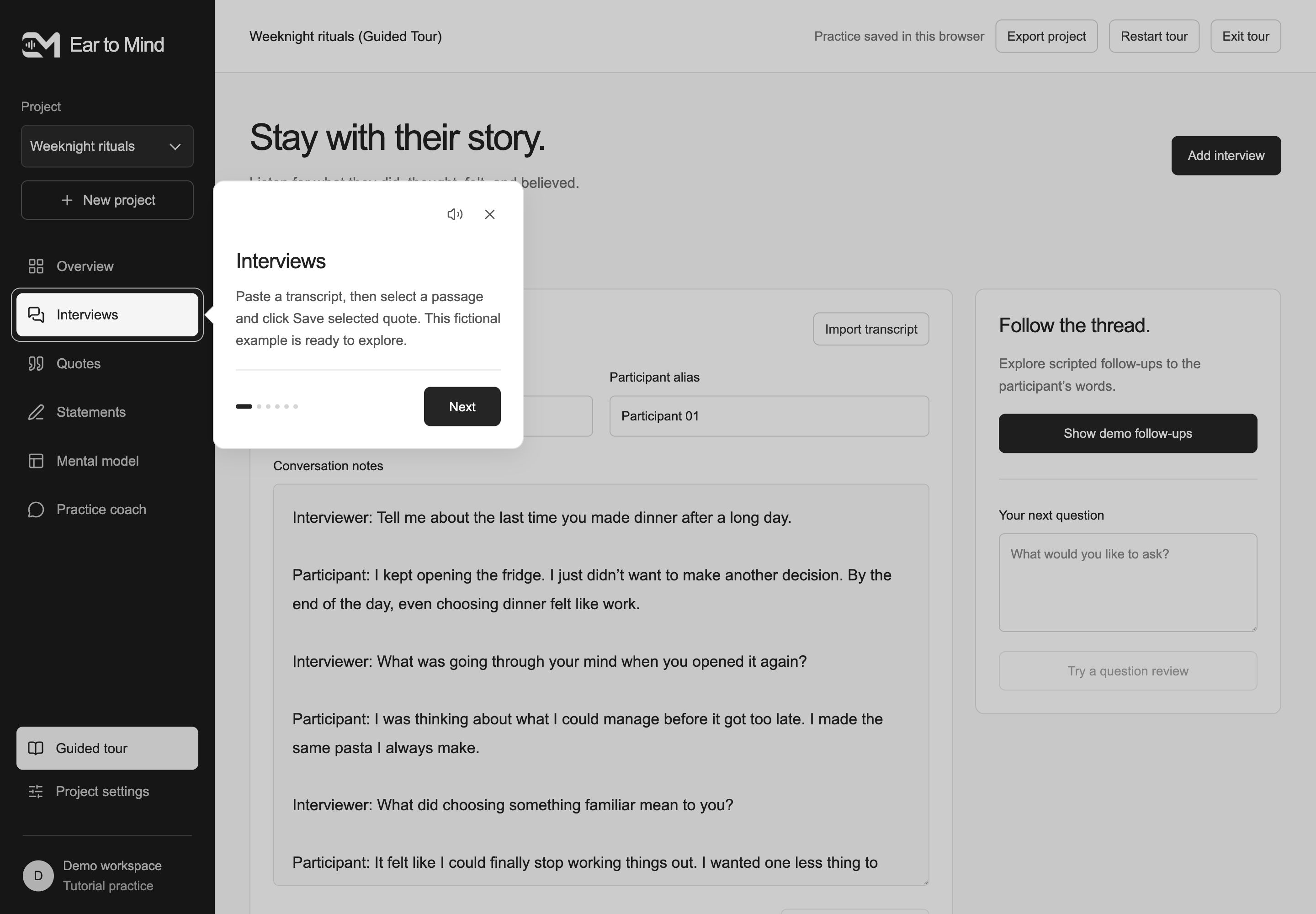
Tutorial 01 · Interviews
Start with what was actually said.
Paste a transcript or import interview notes, keep the speaker labels, and save a selected passage as a quote. The first tutorial introduces the evidence that everything else will return to, using a fictional conversation about deciding what to eat after a long day.
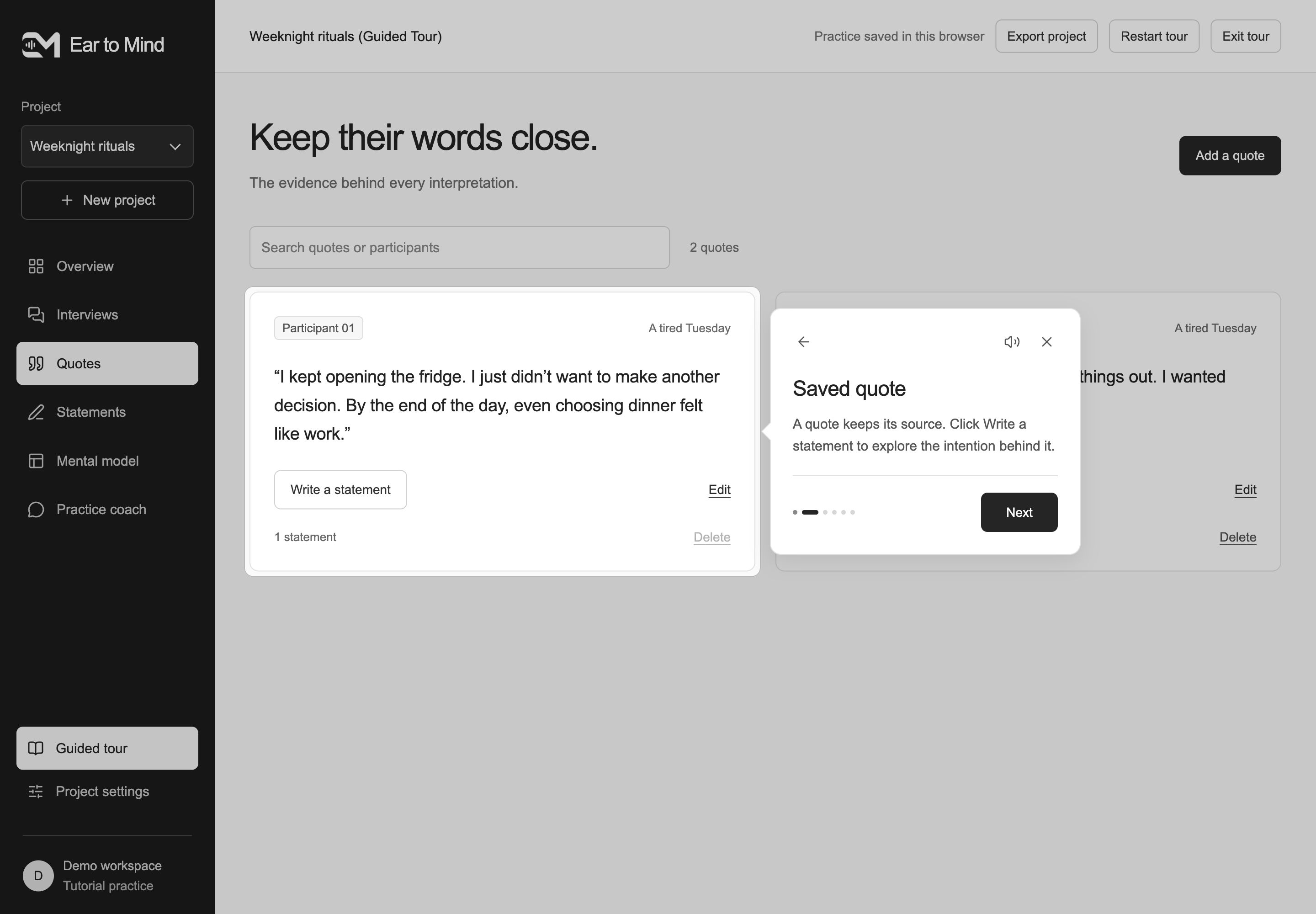
Tutorial 02 · Saved quote
Keep the source close.
The quote library holds the original passage, the participant, and a link back to the interview. This tutorial follows a saved quote into “Write a statement,” making the transition from evidence to interpretation visible while preserving the words that prompted it.
Tutorial 03 · Statement editor
Write one intention, then look again.
Choose Action, Thought, Feeling, or Philosophy and draft a cognitive statement. The editor keeps the quote beside the researcher’s wording. Coaching offers a strength, a point to reconsider, and a guiding question; the researcher revises the statement and completes six checks before placing it on the map.
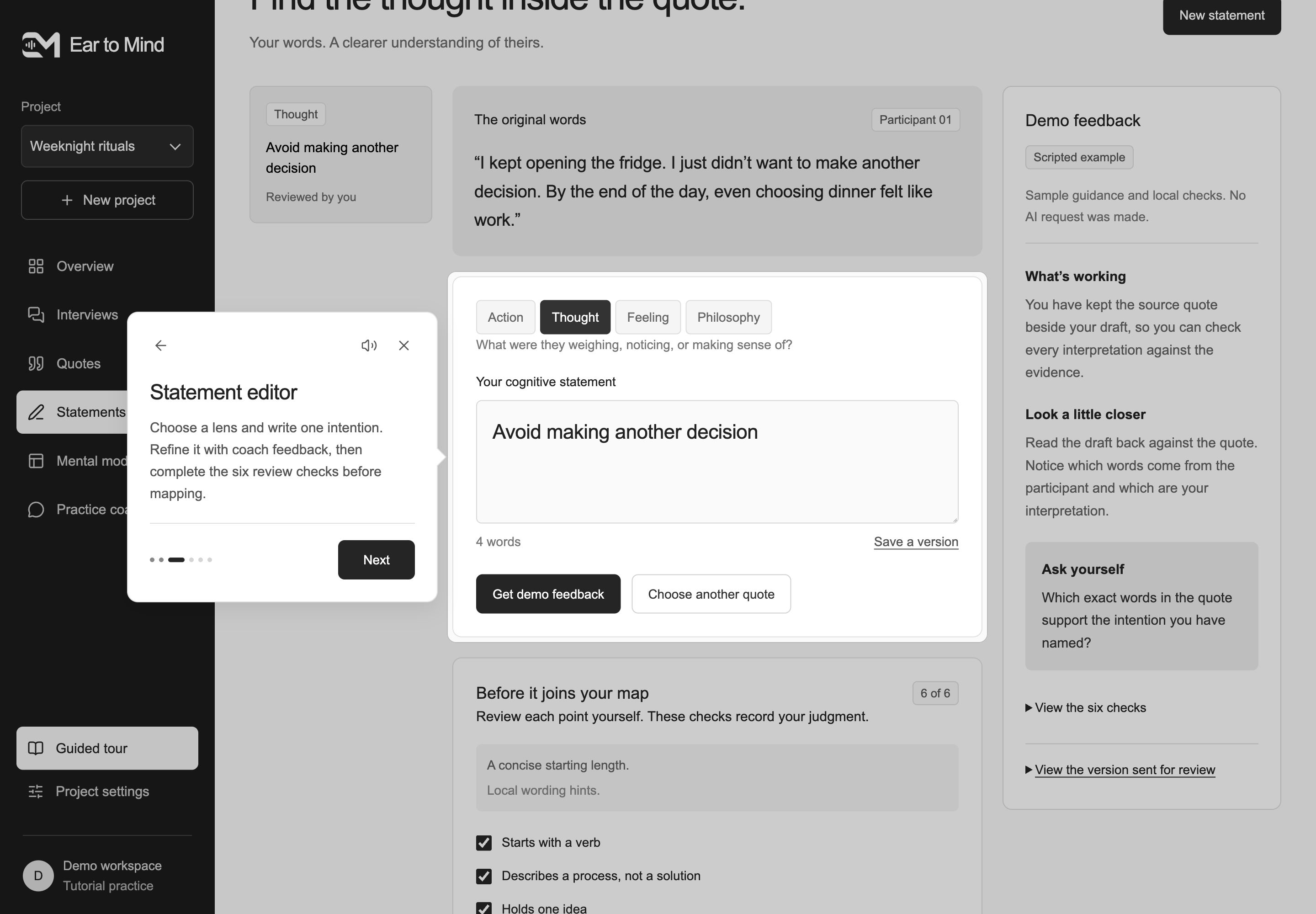
The six checks
- Starts with a verb
- Describes a process, not a solution
- Holds one idea
- Fits the chosen lens
- Stays faithful to the quote
- Uses only the words it needs
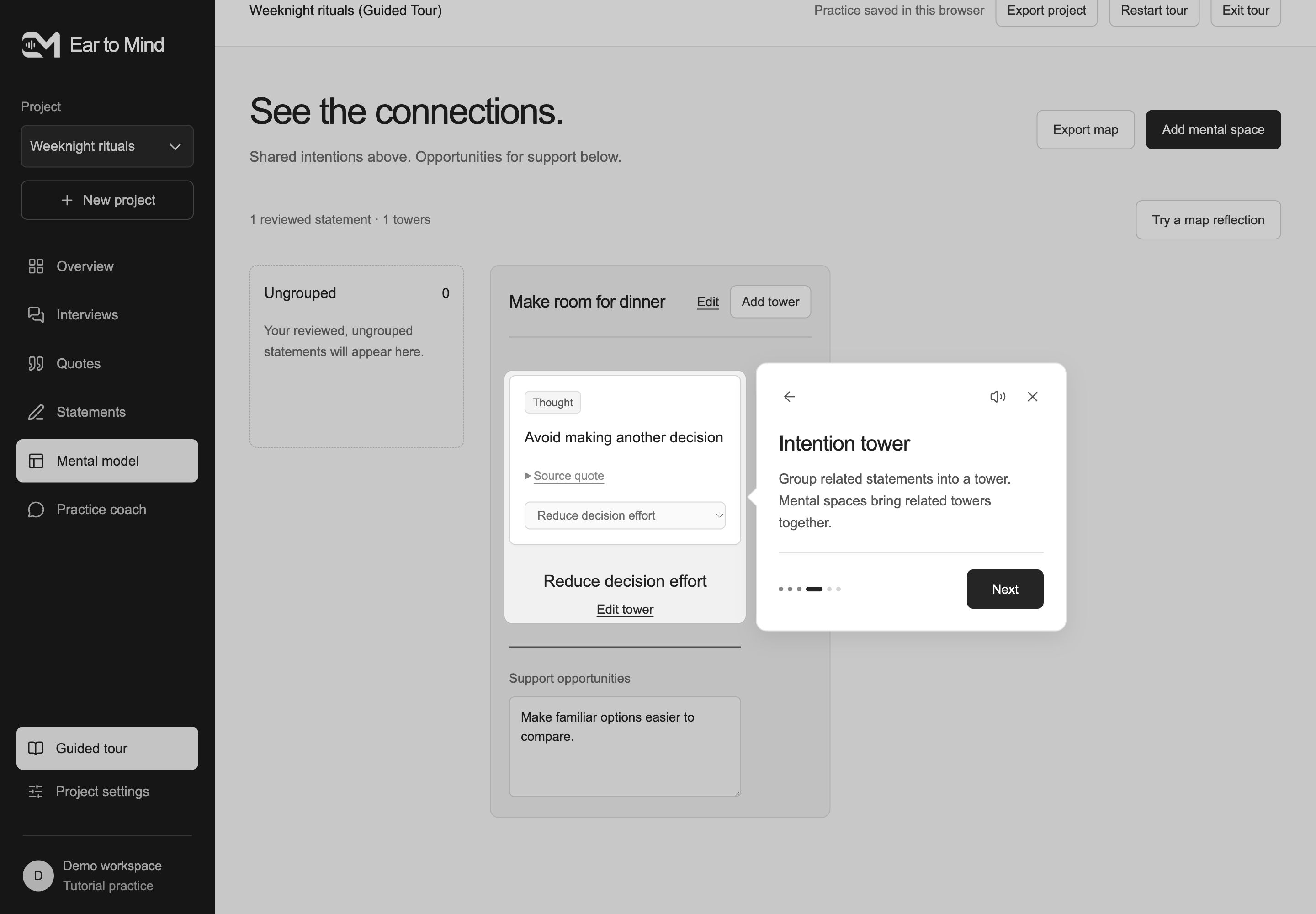
Tutorial 04 · Intention tower
Find the intention shared across statements.
Reviewed statements can be grouped into towers using drag and drop or an accessible placement menu. Related towers sit within mental spaces. This tutorial moves from an individual statement to a pattern, with the researcher deciding what belongs together and how to name the shared intention.
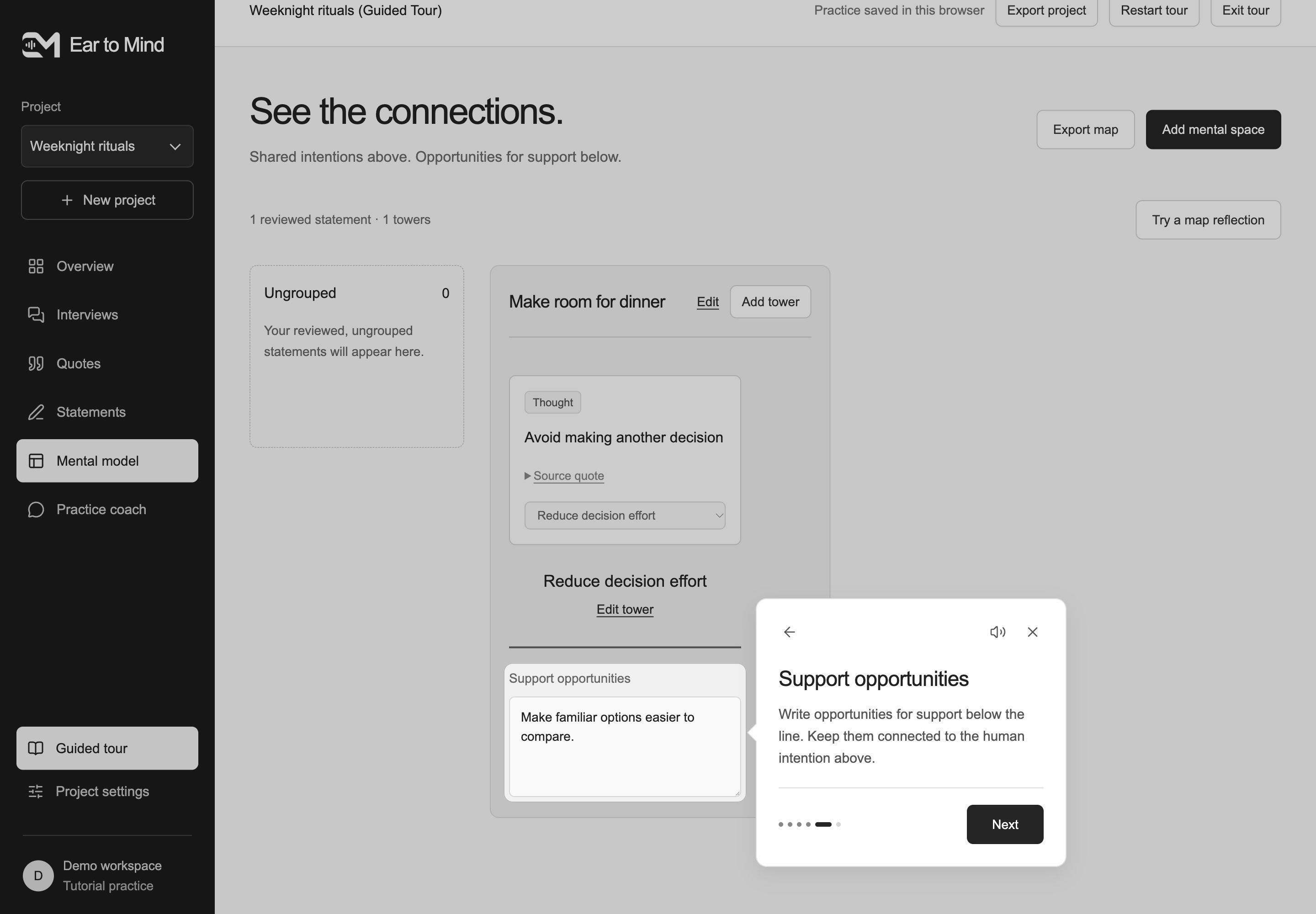
Tutorial 05 · Support opportunities
Connect possibilities to a human intention.
Support opportunities sit below the line, beneath each intention tower. This tutorial introduces a place to explore how a service or product could help, while keeping those ideas separate from the research above. In the practice example, “Reduce decision effort” leads to making familiar options easier to compare.
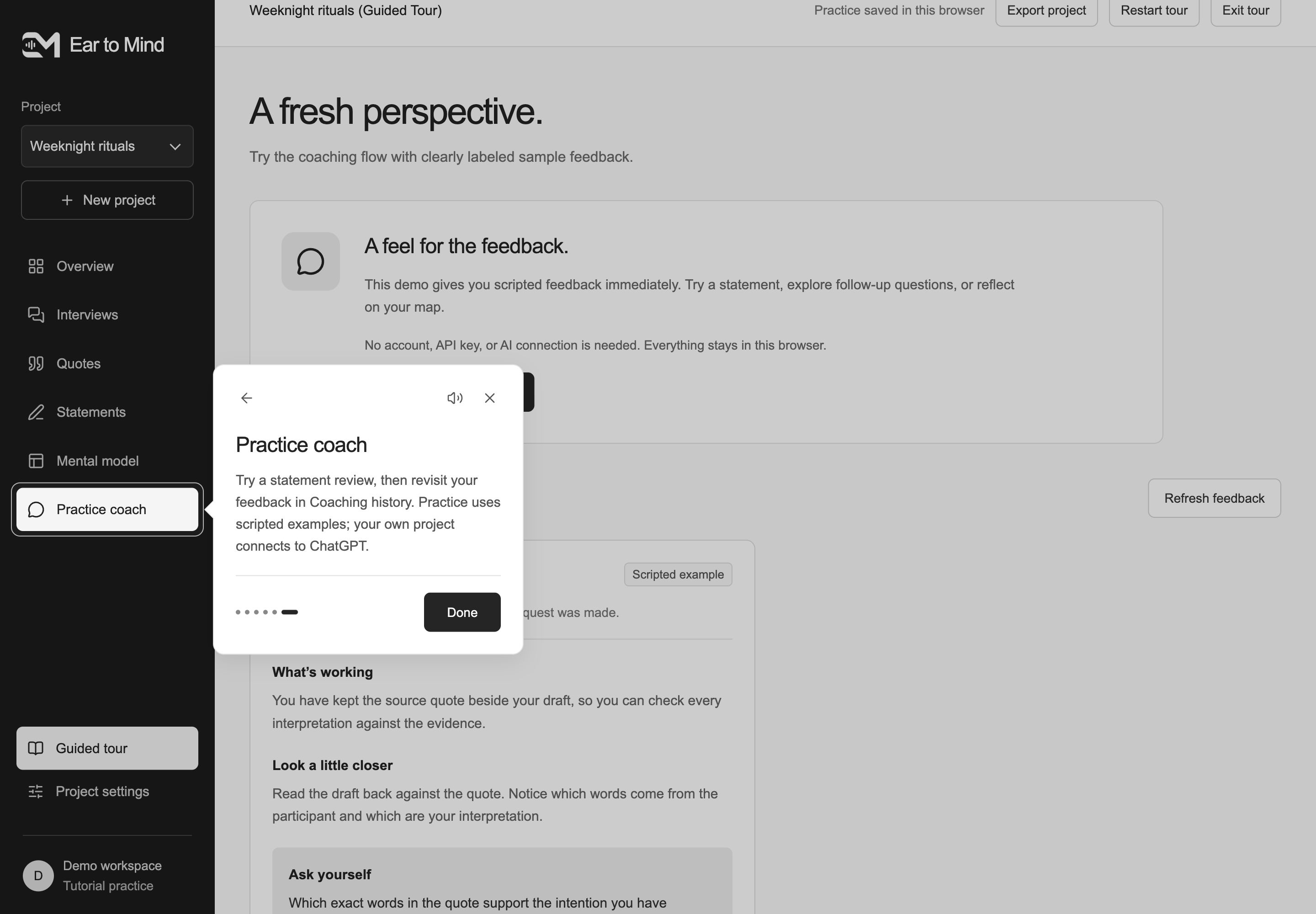
Tutorial 06 · Practice coach
Use feedback to deepen your own interpretation.
Try a statement review and return to Coaching history as your thinking develops. Practice feedback is clearly labeled as a scripted example. In a personal project, the researcher prepares a saved review request and uses the connected Ear to Mind plugin in ChatGPT to receive coaching, then brings that perspective back to the workspace.
Reflection
Learning by teaching the machine.
Writing rules for the coach forced me to define what a good cognitive statement actually is. I understood the method better by teaching it to a machine.
Teach at the moment of use.
A small explanation beside the relevant control gives people a next step while leaving room to explore at their own pace.
An independent learning tool informed by Indi Young’s mental model method. Tutorial and demo examples use fictional research data.